


Get your referral link, QR code & coupon (in 3 steps)
Share your unique BudCash referral link and earn rewards when friends shop. Takes about 2 minutes to set up.
Log in first, grab your link, and start earning — while your mates save too.
Already a customer? Log in first — your referral tools appear in your account menu.
New here? Create an account, then come back to this page and follow Step 1.
What you’ll get
- Your personal referral link (easy to copy & share)
- A QR code (perfect for sharing or printing)
- Your own coupon code (customisable)
- A perk for your friends (5% off + free shipping on first order)
Rewards at a glance
- Lifetime 10% back from your direct referrals
- Lifetime 5% back from their referrals (2nd tier)
- Your referrals get 5% off + free shipping on their first order
- Share via Referral link / QR code / Voucher code
- Use earnings as Cash out or Site credit
New customers count when their order completes. Tracking works after they click your link/scan your QR or use your code.
Before you start
To access BudCash Referrals, you need to be logged in to your BudBuddies account.
No account yet? Create one using the same email you’ll shop with.
Already have an account? Log in, then come back to this page and start Step 1.
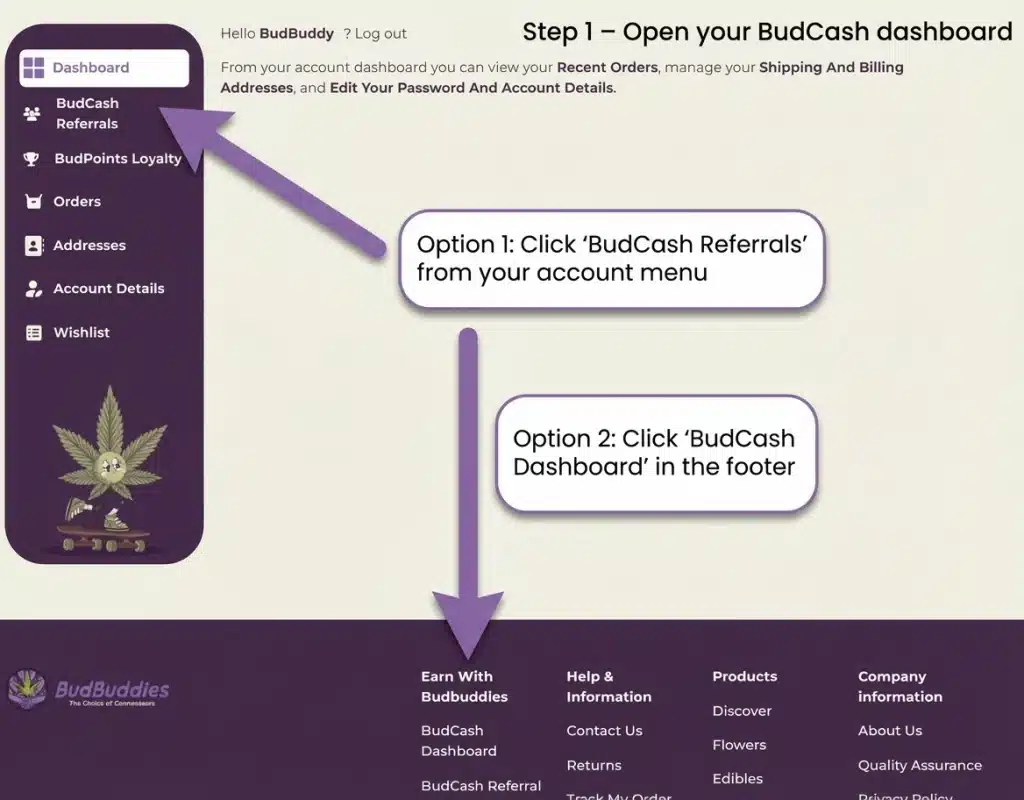
Step 1 — Open your BudCash dashboard
Once you’re logged in, open the BudCash area from your account menu.
- Go to My Account (top menu or your account page).
- Click BudCash Referrals in the left sidebar.
- Alternative: scroll to the footer and click BudCash Dashboard.
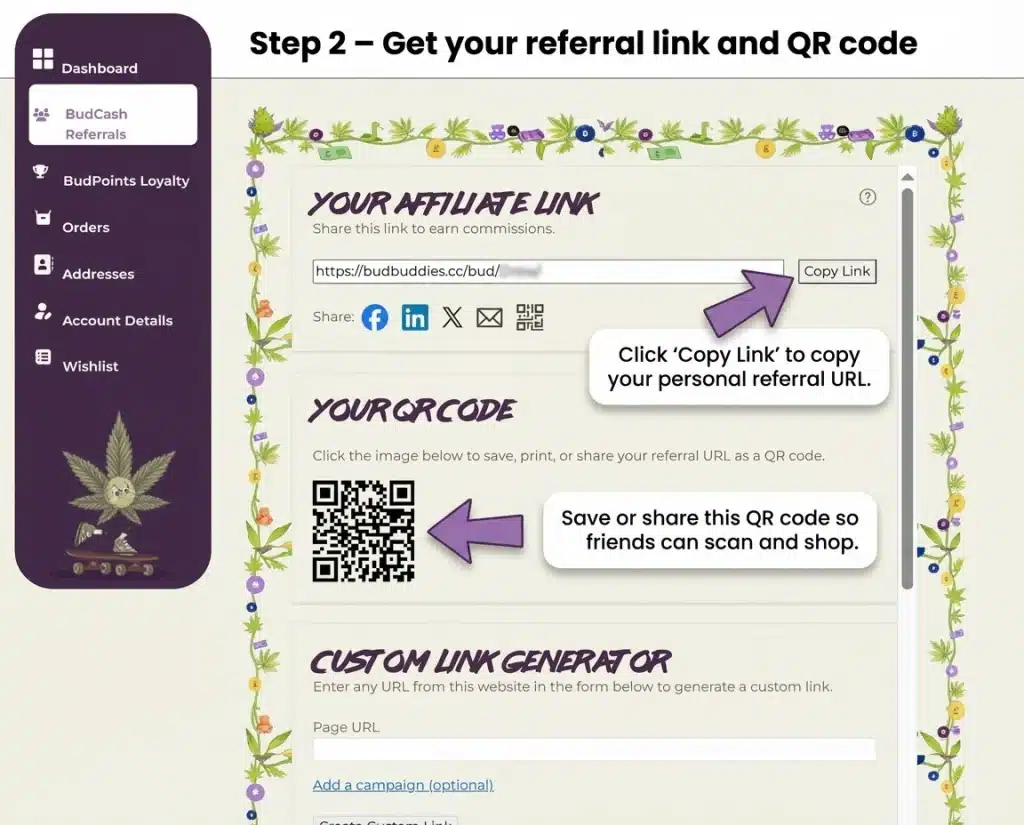
Step 2 — Copy your referral link & save your QR code
This is the link you share. Anyone who shops through it gets tracked to you — and they get 5% off + free shipping on their first order.
- In Your Affiliate Link, click Copy Link.
- Paste it anywhere: messages, socials, email, or your bio.
- To use the QR code, click it to save/download — then share or print it.
- Instagram/TikTok bio link
- Telegram/WhatsApp groups
- A pinned post / story highlight
- Printed QR on flyers, cards, car scent packaging, etc.
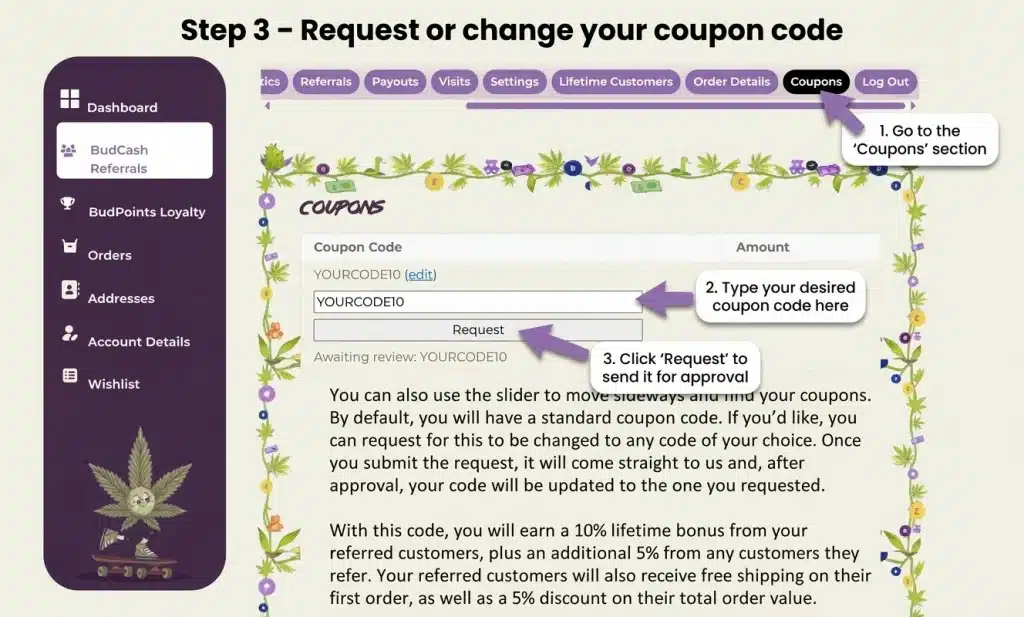
Step 3 — Request or change your coupon code
Want a cleaner code to share (like SAM10)? You can request one inside the dashboard.
- Open the Coupons tab.
- Type the coupon code you want (keep it short and memorable).
- Click Request to send it for approval.
FAQ
Q: Where do I find my QR code?
A: In Step 2, under Your QR Code, click it to save/share.
Q: Can I share a product page instead of the homepage?
A: Yes — use the Custom Link Generator inside your dashboard to create a referral link to any page.
Q: Will it track automatically?
A: Yep, once someone clicks your link (or scans your QR), it tracks your referrals automatically.
Ready? Grab your link and start sharing
Open your dashboard, copy your link/QR, and send it to a few mates — it adds up fast.
Stuck? Contact support and we’ll help you get set up.
